

Productivity
Time Blocking vs Task Batching
Jun
Time Blocking vs Task Batching: Which Productivity Method Works Best?
If you have ever ended a full workday feeling like you accomplished almost nothing important, the problem is probably not your effort. It is your structure. Two of the most effective productivity methods for fixing that are time blocking vs task batching — and while they are often mentioned together, they solve different problems in different ways.
Time blocking tells you when you will work. Task batching tells you what you will group together when you do. One is a scheduling method. The other is a focus method. Used separately, both are powerful. Used together, they are one of the most effective productivity combinations available.
In our daily testing of productivity frameworks across different work types — from deep creative work to high-volume administrative days — the combination of time blocking and task batching was found to produce more real output in less time than any single-system approach. But understanding how each one works independently is essential before combining them.
This guide breaks down exactly what each method is, how each one works, who each one fits, and how to decide which approach — or which combination — is right for your specific situation in 2026.
“Your day does not become productive by accident. It becomes productive when you decide in advance where your attention will go — and then protect that decision.”
What Is Time Blocking?

Time blocking is a scheduling method in which your calendar is divided into dedicated blocks of time, each assigned to a specific category of work. Instead of working from a reactive to-do list, you assign every hour of your workday to a specific type of task in advance.
The core idea is simple: if a task does not have a scheduled time, it will compete with everything else for your attention — and it will usually lose. Time blocking removes that competition by giving every category of work a protected window before the day begins.
For example, a time-blocked day might look like this:
- 8:00 – 10:00 AM: Deep work — writing, strategy, creative work
- 10:00 – 10:30 AM: Email and messages
- 10:30 AM – 12:30 PM: Project work — client deliverables
- 12:30 – 1:30 PM: Lunch and recovery
- 1:30 – 3:00 PM: Meetings and calls
- 3:00 – 4:00 PM: Admin, planning, follow-ups
- 4:00 – 4:30 PM: End-of-day review and tomorrow’s planning
Every block is protected. Meetings are not allowed to invade deep work blocks. Email is not checked continuously. Each type of work has its own assigned time.
Key Insight: Time blocking is not about rigidity. It is about intention. You decide in advance where your best energy goes — so the day does not decide for you.
Who Created Time Blocking?
Time blocking has been used by some of the most productive people in history. Benjamin Franklin famously designed his day in blocks. Cal Newport — author of Deep Work — popularized the modern version of time blocking as the primary method for protecting focused work from constant interruption. Elon Musk is known for scheduling his day in five-minute blocks. Bill Gates uses structured time blocks for reading and thinking periods.
What Does Time Blocking Solve?
- Protecting focused work from meetings and reactive demands
- Reducing decision fatigue about what to work on next
- Ensuring important but non-urgent work actually gets done
- Creating a realistic picture of how much work fits into one day
- Preventing the day from being consumed entirely by shallow tasks
“A calendar without time blocks is just a list of appointments waiting to steal your focus.”
What Is Task Batching?

Task batching is a focus method in which similar tasks are grouped together and completed in one dedicated session rather than scattered throughout the day. Instead of switching between writing, email, planning, calls, and admin repeatedly, similar tasks are grouped into a single block and executed consecutively.
The productivity science behind this is strong. Every time the brain switches between different types of tasks, it pays a cognitive switching cost — a brief but real reduction in performance as the brain reconfigures for the new task type. Research on task-switching consistently shows this cost reduces efficiency, increases error rates, and raises mental fatigue.
Task batching eliminates that cost by keeping the brain in the same cognitive mode for longer periods.
A task-batched workday might group tasks like this:
- Communication batch: All emails, Slack messages, and replies processed together
- Creative batch: All writing, content creation, and brainstorming together
- Admin batch: All invoices, scheduling, and administrative tasks together
- Call batch: All client calls, team meetings, and check-ins scheduled back to back
- Research batch: All reading, fact-checking, and reference work together
- Planning batch: All strategy, goal review, and priority-setting together
Key Insight: Task batching works because the brain is more efficient when it stays in one cognitive mode. Switching costs are real — and batching eliminates them.
What Does Task Batching Solve?
- Reducing cognitive switching costs between different task types
- Increasing focus depth within a single work session
- Reducing the mental exhaustion caused by constant context shifts
- Making shallow tasks faster to complete when grouped
- Freeing up longer uninterrupted windows for deep creative work
“Every time you switch tasks, your brain pays a toll. Task batching builds a toll-free road.”
Time Blocking vs Task Batching: What Is the Key Difference?

The simplest way to understand the difference is this:
- Time blocking answers the question: “When will I do this?”
- Task batching answers the question: “What will I group together?”
Time blocking is a scheduling tool. It structures your calendar. Task batching is a focus tool. It structures what goes inside each block.
They are not competing methods. They operate at different levels of the same productivity system. This is why the most effective practitioners use both — time blocking to assign protected windows, task batching to fill those windows with grouped similar tasks.
For example:
- Time block: 8:00 – 10:00 AM is reserved for deep work
Task batch inside that block: All article outlines, first drafts, and blog edits grouped together - Time block: 3:00 – 4:00 PM is reserved for admin
Task batch inside that block: All invoices, scheduling, and platform updates grouped together
Time Blocking vs Task Batching: Full Comparison
| Factor | Time Blocking | Task Batching |
|---|---|---|
| What it controls | When work happens | What is grouped together |
| Primary function | Scheduling and calendar protection | Focus and cognitive efficiency |
| Main problem solved | Interruptions, reactive scheduling | Task-switching fatigue, fragmented attention |
| Best for | Creatives, writers, deep work professionals | High-volume workers, managers, content creators |
| Difficulty to start | Medium — requires calendar discipline | Low — requires only grouping similar tasks |
| Works without a calendar? | No — calendar is essential | Yes — works with just a daily task list |
| Flexibility | Lower — day must be planned in advance | Higher — batches can be reshuffled easily |
| Biggest weakness | Collapses when unexpected interruptions arrive | Does not protect against meeting overload |
| Can be combined? | Yes — use time blocking for when | Yes — use task batching for what goes inside each block |
| Famous users | Cal Newport, Elon Musk, Bill Gates | Tim Ferriss, Gary Vaynerchuk, Pat Flynn |
| Tools needed | Google Calendar, Notion, paper planner | Simple task list, color-coded labels |
Which Is Better: Time Blocking or Task Batching?
Neither method is universally superior. The right answer depends on your work type, your daily structure, and your single biggest productivity challenge.
Choose time blocking if:
- Your calendar is controlled by other people’s meeting requests
- You never seem to get to your most important work
- You do deep creative, strategic, or analytical work daily
- You struggle with knowing when to stop one task and start another
- You work in an environment with frequent interruptions
Choose task batching if:
- You manage high volumes of similar tasks — email, content, client work, admin
- You feel mentally exhausted by constant task-switching
- Your schedule is flexible and does not depend on a fixed calendar
- You want a lighter system that is easy to implement without calendar planning
- You work across multiple projects and need to move efficiently between them
Combine both if:
- You manage a mix of deep work and high-volume administrative tasks
- You want the strongest possible productivity structure
- You have enough calendar control to block time in advance
- You are building a personal productivity system for the long term
Pro Tip: In our practice, the combination that produced the most consistent results was this: time block the deep work window first, then fill every other block with task batches. That single structure protected focused output while keeping administrative tasks fast and grouped.
How to Combine Time Blocking and Task Batching Into One System
This is the layered system that top productivity practitioners use — and it is simpler to implement than most people expect.
Step 1 — Plan your week on Sunday evening
Open your calendar. Block the following categories for the week ahead:
- Deep work blocks — your most important focused sessions
- Communication blocks — email, messages, replies
- Meeting blocks — all calls and meetings grouped together
- Admin blocks — invoices, scheduling, logistics
- Personal blocks — exercise, lunch, rest
Step 2 — Assign task batches to each block
Inside each time block, list the specific tasks that belong to that category. All creative tasks go into deep work blocks. All email replies go into communication blocks. All administrative tasks go into admin blocks. No mixing.
Step 3 — Protect your deep work block first
Before meetings, before email, before admin — your most important focused work happens in the first protected block of the day. That decision alone separates high-output days from reactive ones.
Step 4 — Review and adjust every Friday
Spend fifteen minutes reviewing how the week’s blocks held up. Which blocks were interrupted? Which batches were too large? Adjust the following week’s structure based on what you observed.
“Time blocking decides when. Task batching decides what. Together, they decide how your best work actually gets done.”
Real-World Examples: How Different Work Types Use Each Method
For content creators and bloggers
Content creators benefit strongly from both methods combined. Deep work blocks are used for writing and recording — uninterrupted, phone-off sessions. Task batches inside those blocks group all research together, then all drafting, then all editing. Communication batches handle comments, emails, and brand messages twice a day. Administrative batches handle scheduling and analytics once a day.
In our experience reviewing content workflows, creators who implemented this combined system produced significantly more high-quality content per week without working more hours. The gain came entirely from eliminating switching costs and protecting the creative window.
For managers and team leaders
Managers typically struggle most with meeting overload consuming the entire day. Time blocking is especially valuable here — specifically, blocking a morning deep work window before meetings begin, and grouping all meetings into afternoon blocks. Task batching then handles the remaining work: all one-on-ones batched together, all status reviews batched together, all strategic planning batched in a single weekly session.
For freelancers and solo professionals
Freelancers benefit most from task batching because their schedule is more flexible. All client work can be batched by client or by type — writing days, call days, admin days. Time blocking then adds structure to that flexibility by assigning specific days or hours to each batch category.
Techniques for Success With Time Blocking and Task Batching

1. Start with a simple version
Do not attempt to build a perfect time-blocked week on day one. Start with two blocks: one protected deep work block in the morning and one communication batch in the afternoon. That alone is enough to produce visible results within the first week.
2. Use color coding on your calendar
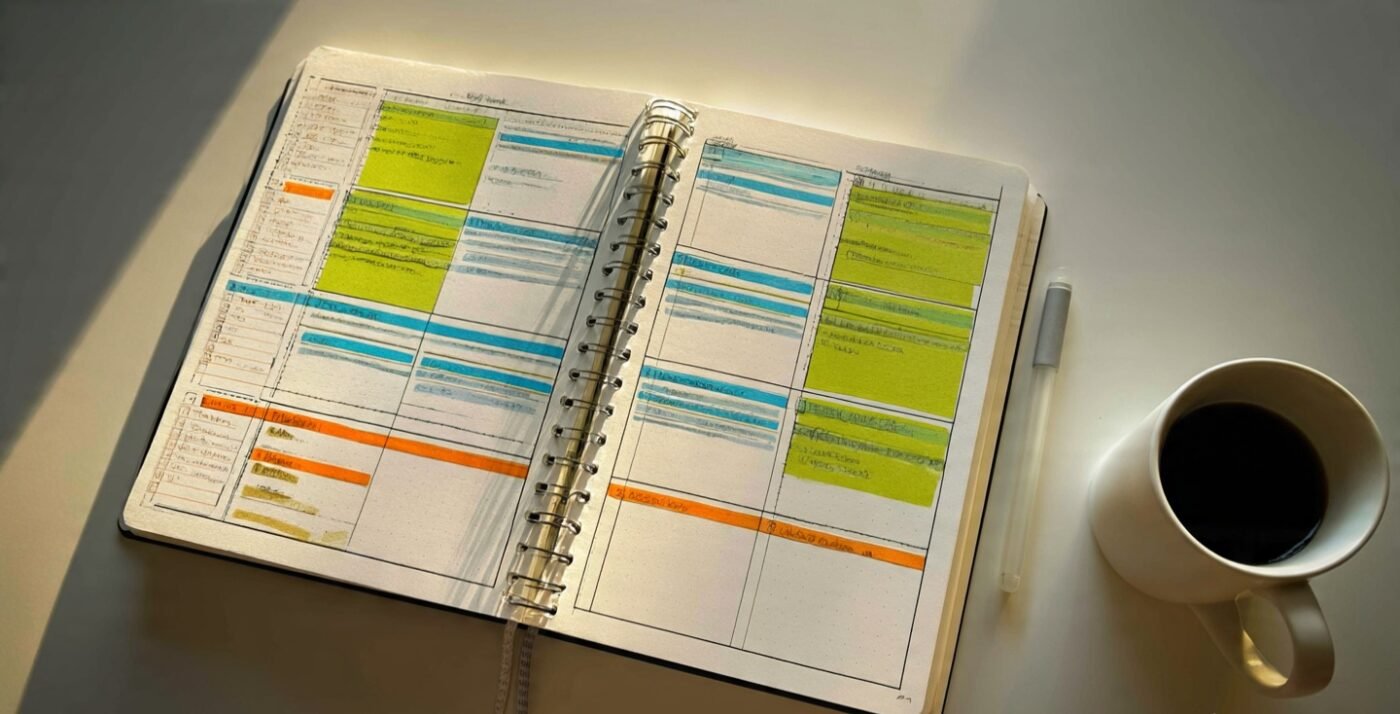
Assign a different color to each block category — green for deep work, blue for calls, orange for admin, red for personal time. Visual color coding makes it immediately clear whether your week is balanced or overloaded before it begins.
3. Build buffer blocks between sessions
Add fifteen-minute buffer blocks between major time blocks. These buffers absorb overruns, allow the brain to transition between task types, and prevent one delayed meeting from collapsing the rest of the day.
4. Protect the first ninety minutes of your morning
The first ninety minutes of focused work before email and meetings begin is your highest-value productivity window. Protect it with a time block every day. In our testing, this single habit produced more real output than any other structural change.
5. Batch email to two windows only
Check and respond to email at 10 AM and 4 PM only. Nothing else in between. That single constraint recovers sixty to ninety minutes of real work time daily by eliminating the constant attention drain of reactive inbox checking.
6. Conduct a weekly block audit
Every Friday, spend fifteen minutes reviewing your blocks. Ask: which blocks held? Which were invaded? Which batches were too large or too small? Use the answers to improve the following week’s structure. The system improves most quickly through weekly iteration.
“The goal is not a perfect schedule. The goal is a real structure that protects your most important work and gets better every week.”
Final Thoughts
Time blocking vs task batching is not really a competition. It is a collaboration. One structures your calendar. The other structures your focus. Together, they solve the two biggest productivity problems most people face: not protecting important work time, and losing performance to constant task-switching.
If you have never used either method, start with task batching — it requires no calendar and produces immediate results. Group your emails together. Group your writing together. Group your admin together. Notice how different the day feels when you stop switching every fifteen minutes.
Then add time blocking. Assign specific hours to each category. Protect the morning. Batch the meetings into the afternoon. Review and adjust every week.
Within thirty days, the combination of these two methods will produce more real output — in less time, with less mental fatigue — than any single productivity system you have tried before.
“Give every hour of your day a job. Group every job with its kind. That is the entire system — and it is enough to change everything.”
Frequently Asked Questions
What is the difference between time blocking and task batching?
Time blocking is a scheduling method that assigns specific hours of the day to specific categories of work. Task batching is a focus method that groups similar tasks together to reduce cognitive switching costs. Time blocking controls when you work on something. Task batching controls what you group together during that time.
Can you use time blocking and task batching together?
Yes — and combining both is the most effective approach. Use time blocking to assign protected windows to each work category, then use task batching to fill each block with grouped similar tasks. This layered system handles scheduling and focus simultaneously.
Is time blocking better than task batching?
Neither is universally better. Time blocking is more effective for protecting deep work from interruptions and meeting overload. Task batching is more effective for reducing cognitive fatigue from constant task-switching. Most high-output practitioners use both methods at the same time.
How do I start with time blocking as a beginner?
Start with just two blocks: one protected deep work session in the morning and one communication batch in the afternoon. Use a paper planner or Google Calendar. Do not attempt a perfectly blocked week on day one — build the structure gradually over two to three weeks.
What is an example of task batching?
Instead of checking email throughout the day, all emails are processed together at 10 AM and 4 PM only. Instead of switching between writing and calls and admin repeatedly, all writing happens in one session, all calls in another, and all admin in a third. Each category of similar tasks is grouped and completed consecutively.
Why does task batching improve productivity?
Task batching reduces cognitive switching costs — the brief but real performance penalty the brain pays every time it switches between different types of tasks. By staying in one cognitive mode for longer, the brain works more efficiently, makes fewer errors, and sustains focus for longer periods.
How many time blocks should I have in a day?
Most practitioners use three to five main time blocks per day. A typical structure includes one deep work block, one communication block, one meeting block, and one admin block. More than five blocks usually means the blocks are too small to produce meaningful focused output.